Cyber Hygiene: What it Looks Like for IoT Devices
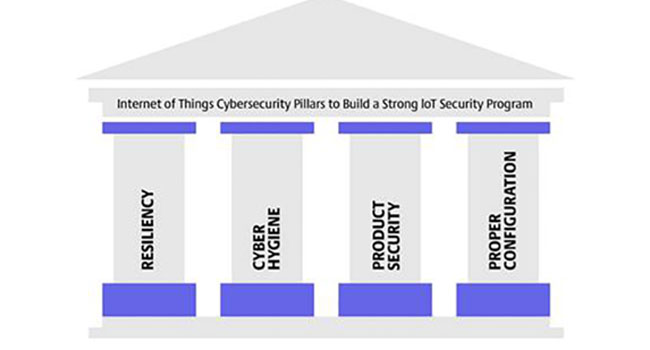
Understanding an Internet of Things security program takes careful consideration and study. We are pleased to bring you this first online post; others will follow each week, discussing the four core tenets. This is Part 2 of the Four Core Tenets of Any IoT Security Program. The remainder will follow weekly.
- By Will Knehr
- Mar 17, 2023
For our second pillar about the Industrial Internet of Things (IIoT) Pillars of Security, we are going to discuss what cyber hygiene looks like for IoT devices. We’ll dive into the maintenance, care and management of these devices since they are often deployed with a kind of “set it and forget it” mentality and left alone unless they malfunction.
However, to run a good cybersecurity program, we must apply the same principles to IIoT devices as we do to computers or any other network device. IIoT devices need their firmware and software updated regularly, their passwords need to be changed, and scanned for vulnerabilities.
Consider this for just a minute: at home you probably have a router that you purchased or that your internet service provider gave you. When was the last time that you updated the software on that device, the firmware or have you ever changed the default password that came on it? For most people, the answer to that question is that they have never updated the software or firmware on their home router, and they have never changed the default password.
Now I know that a home router isn’t an IIoT device, but it is something relatable for everyone reading this. Many IIoT devices are treated the same, they are deployed and initially configured, but just kind of left to run after that.
I have identified 8 keys to effective cyber hygiene for IIoT devices which are listed below, but I warn you that it is easier said than done.
1. Have a full inventory of all IIoT devices on your network. All cameras, security system components, SCADA devices, sensors, programmable logic controllers, etc. Be sure to include manufacturer information and model numbers, that way if there is a vulnerability announcement you’ll know if it applies to your environment.
2. Hot tip: Consider setting up vulnerability alerts for your IIoT devices, that way whenever there is a vulnerability disclosure, you’ll be the first to know. My favorite is to subscribe to the CISA vulnerability alert bulletins, and you can even customize which alerts you sign up for – that can be done here Cybersecurity and Infrastructure Security Agency (govdelivery.com).
3. Check for firmware and software updates for these devices on a routine basis
- Routine basis is a bit of a generic timeline, but it really does depend on the type of device. Typically, IIoT devices only release updates once or twice a year so they don’t need to be updated as often as other devices on your network.
4. Update or change passwords on IIoT devices on a routine basis
- Routine basis in this case is a generic timeline as well. In my opinion, updating passwords for IIoT devices every 90 days is a bit unrealistic for most organizations. So, figure out something that is manageable.
5. Conduct vulnerability scanning looking for critical vulnerabilities
- Be careful when conducting vulnerability scans on IIoT devices, especially for the first time because the scans may cause the devices to fail. I recommend testing the devices before deploying them so that you’ll know if they are ok to scan in the future.
- I also recommend scanning in small segments at a time, that way if devices do fail, it doesn’t knock everything offline.
6. Conduct vendor and device risk assessments when purchasing new IIoT devices
- Take a close look at the vendor selling the device and see if they have a good reputation for updating their products when vulnerabilities are found.
- Check to make sure the vendor does some type of code analysis to ensure they are deploying a secure product.
- Pick a device that has the right settings and protocols for your network.
7. Conduct configuration backups of devices
- Make sure these backups are stored offsite or in the cloud.
8. Ensure IIoT devices are covered in your Policies and Plans (incident response, change management, config management, patch management, business continuity)
I think the best way to summarize cyber hygiene is to think of it as creating a culture of cybersecurity in your organization. Baking cybersecurity into every physical security, IT, or other function in your business. So just like you shower and brush your teeth on a routine basis (hopefully), consider grooming your IIoT devices on a routine basis. In the next issue we’ll discuss product security.
Join us in the next issue when we cover the last two pillars: Product Security and Proper Configuration.